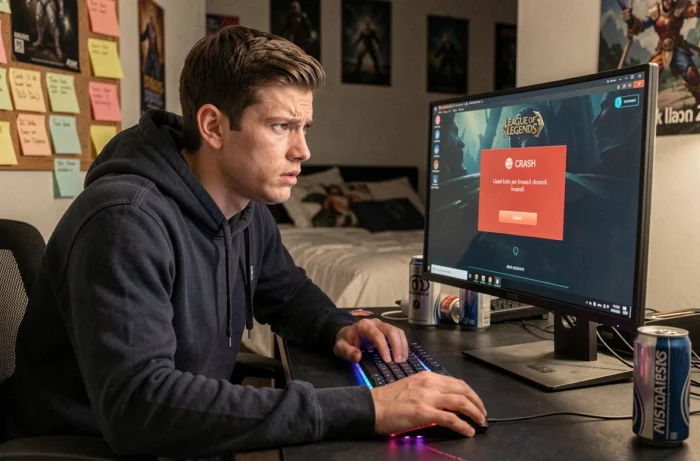
When League of Legends refuses to launch, freezes during a match, or displays a black screen after champion selection, the cause is not always a game bug. Several common issues in 2024 stem from software conflicts, system updates, or a simple change in the behavior of the Riot client that many players mistake for a malfunction.
Riot Client reopening at launch: bug or intentional change
A recurring symptom in recent reports is that the League of Legends desktop shortcut opens the Riot client instead of launching the game directly. The game seems to “not start,” and there is a strong temptation to close the process, reinstall, or modify files.
This behavior is actually an intentional change by Riot Games. The multi-game client (which also manages Valorant and TFT) now consistently displays. You must go through the game’s page in this client and click “Play” for League to actually launch.
Before looking for a technical solution, check that you are not simply facing this new launch flow. A detailed catalog outlining League of Legends issues on Vox Libris helps distinguish real bugs from false positives related to this change.
Software conflicts and antivirus: files to exclude on Windows
Security software (antivirus, firewalls, authenticators) remains the primary cause of launch blockages. Even after starting in minimal mode, some protection processes continue to run and interfere with the game’s executables.
The files to add as exceptions in your firewall or antivirus are as follows:
- LeagueClient.exe and LeagueClientUx.exe, located in the Riot GamesLeague of Legends folder, which manage the client interface
- LeagueClientUxRenderer.exe in the same directory, responsible for the graphical rendering of the launcher
- League of Legends.exe in the Game subfolder, the executable for the game itself
- RiotClientServices.exe in Riot Client, the central process of the multi-game launcher
- vgc.exe and vgm.exe in Program FilesRiot Vanguard, the components of the Vanguard anti-cheat
Forgetting just one of these files is enough to cause a silent blockage. The game does not always return an explicit error message: it simply remains frozen on the loading screen or closes unexpectedly.
Windows compatibility mode and cascading failures
A less documented trap concerns Windows compatibility mode. Some players, faced with a crash, enable this mode on the Riot executables thinking it will resolve the issue. The result is the opposite: it generates additional bugs (missing textures, disconnections during matches, random freezes).
Detailed technical feedback shows that a set of simultaneous malfunctions (client not responding, sound disappearing, corrupted graphical interface) stemmed from a single setting: compatibility mode mistakenly activated on one of the executables listed above.
| Symptom | Common Cause | Solution |
|---|---|---|
| Game does not launch after champion selection | Antivirus blocking an executable | Add firewall exceptions |
| Riot client opens instead of the game | New intentional behavior | Launch via the Play button in the client |
| Random crashes and missing textures | Windows compatibility mode enabled | Disable mode on all Riot .exe files |
| Black screen or freeze on loading | Outdated graphics driver | Update graphics card |
| Multiple simultaneous bugs after update | Conflict with a recent Windows patch | Check for pending system fixes |
To check and disable compatibility mode: right-click on each executable, go to the Compatibility tab, and uncheck all boxes. Just one file in compatibility mode can break the entire launch chain.
Windows updates and game crashes in 2024
Conflicts between Windows patches and video games are not new, but some recent updates to Windows 11 have caused confirmed crashes in several titles, including games using anti-cheat systems similar to Vanguard. Microsoft has acknowledged the issue and opened investigations after several studios pointed to system updates as the source of crashes and forced restarts.
When a crash occurs right after a Windows update, the most reliable approach is to check if a system fix is pending installation, then test the game after a complete restart. Uninstalling the problematic Windows update remains a temporary option if the fix is not yet available.
Repairing and reinstalling the client
If none of the previous steps resolve the issue, two options remain available in the Riot client:
- The “Repair” function in the game settings, which checks the integrity of the files and replaces those that are corrupted
- Clearing the cache of the AppDataLocal folder related to League of Legends, which forces the client to recreate its temporary files
- As a last resort, a complete reinstallation, which resolves most persistent issues but requires a new download of all game data
Repairing is sufficient in most cases. Reinstallation should only occur after eliminating all other causes.
The majority of issues with League of Legends in 2024 can be summarized into three sources: a conflict with security software, a misconfigured Windows setting, or confusion with the new behavior of the Riot client. Identifying which of these three categories applies to your situation avoids hours of unnecessary troubleshooting.